
Approved access
Invite the customers and buyer users that belong in your private ordering environment.
Customers sign in through your branded website, browse the products available to their account and order at their agreed prices. Orders appear in the same supplier dashboard used by your team.
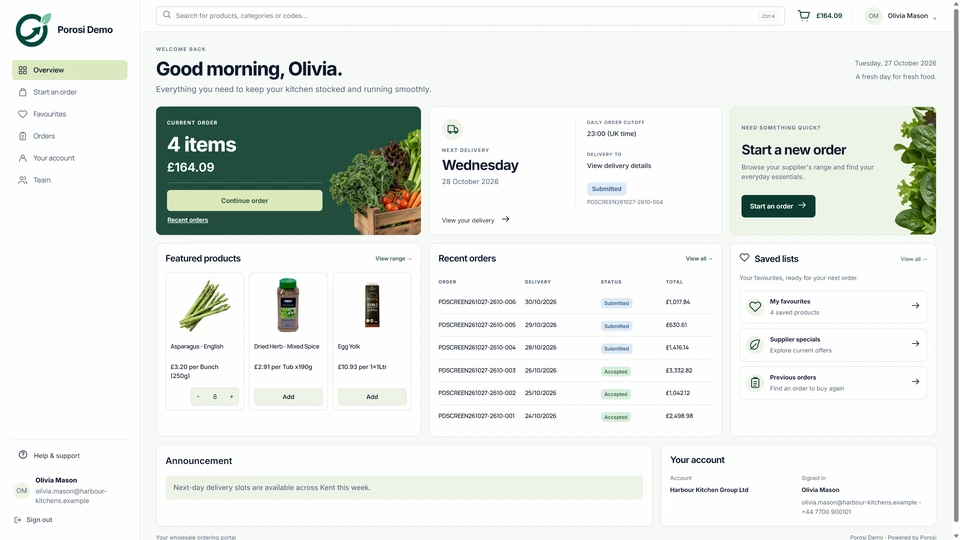
Customers need to see the right products, selling units and agreed prices before ordering. Your team needs the submitted details together so it can prepare the order.
Invite the customers and buyer users that belong in your private ordering environment.
Keep account products, prices and buying context visible before submission.
Present your name across web ordering and fully white-label mobile apps.
Follow the customer account, product lines and delivery details through these steps.
The customer uses their own login, linked to the correct trade account.
Browse the account catalogue or return to favourites and previous orders.
Adjust quantities, choose the available delivery date and add a note.
Your team receives the order with the customer, products, prices and delivery details together.
App and web orders arrive with the customer, products, quantities, prices and notes together. Staff can review the order and handle changes before preparing fulfilment and invoicing.
Desktop purchasing and fast phone reorders share account history and supplier workflow.
Your team keeps judgement over substitutions, changed quantities, availability and credit questions.
The order continues into fulfilment and finance instead of ending as a detached ecommerce record.
No. Porosi provides a private supplier-owned ordering environment for approved trade customers.
Yes. Customer access, users, product context and pricing can follow the trade relationship.
No. iOS, Android and web orders feed the same supplier dashboard and order lifecycle.
The order remains available for staff review, fulfilment, delivery and invoice workflows.
Tell us how your customers order today and what your team wants to improve. We will show the relevant screens and explain the setup.