
Multiple buyer users
Approved people can order for the customer organisation without sharing one unmanaged login.
Customers sign in through your branded website, browse the products available to their account and order at their agreed prices. Orders appear in the same supplier dashboard used by your team.
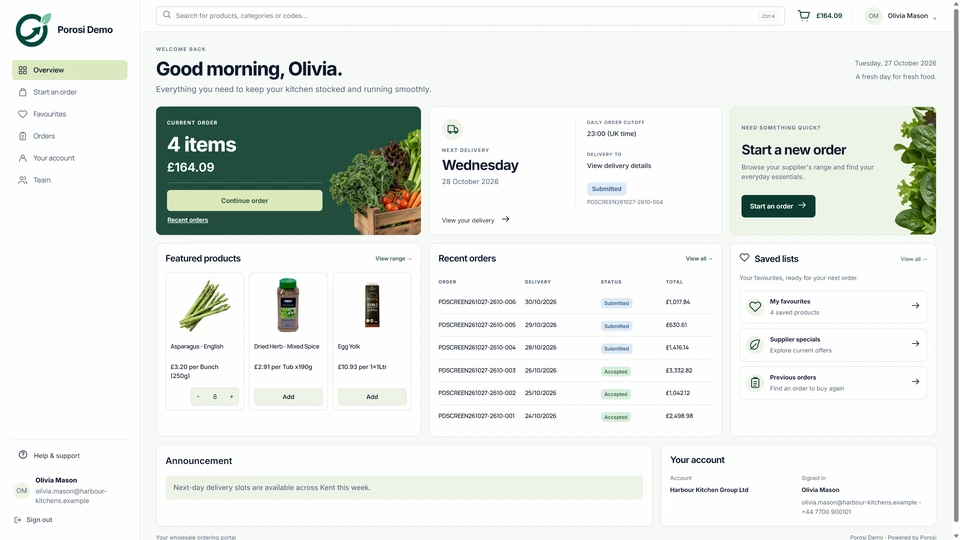
Customers need to see the right products, selling units and agreed prices before ordering. Your team needs the submitted details together so it can prepare the order.
Approved people can order for the customer organisation without sharing one unmanaged login.
The portal keeps the relevant range and commercial context close to the buyer.
History and submitted orders remain attached to the trade account.
Follow the customer account, product lines and delivery details through these steps.
The customer uses their own login, linked to the correct trade account.
Browse the account catalogue or return to favourites and previous orders.
Adjust quantities, choose the available delivery date and add a note.
Your team receives the order with the customer, products, prices and delivery details together.
App and web orders arrive with the customer, products, quantities, prices and notes together. Staff can review the order and handle changes before preparing fulfilment and invoicing.
Supplier admins decide which accounts and users can enter.
Orders retain customer and buyer-user context for staff review.
Portal and mobile activity connect to the same account and supplier dashboard.
Yes. Porosi supports buyer users associated with the approved customer account.
Account and permission workflows can support controlled user access while the supplier retains tenant oversight.
Yes. Porosi is designed to keep customer-specific commercial context in the ordering route.
The supplier dashboard retains customer and order context so staff can review the submission properly.
Tell us how your customers order today and what your team wants to improve. We will show the relevant screens and explain the setup.